Home / The part of selling that happens after the listing goes live. / Listings & costs
Listings & costs
One line per listing: what it earns, what it costs.
Price, quantity, impressions and views on one side; final value fee, fixed fee, shop share and ad spend on the other. The difference between those columns is why this screen exists.
A catalogue hides its own economics. Fifty listings with the same layout, the same photography and the same price band look identical — right up until you put the fee column next to the revenue column. Almost every shop has listings that are quietly carrying others, and almost nobody can name them from memory.
What each listing carries.
- The state it is in — Price, quantity, category, variations and the policies in force — refreshed on request, so the view shows the marketplace as it is now, not last week's assumption.
- Whether it is seen — Impressions, views, clicks and orders for the last thirty days, straight from the marketplace. A listing nobody sees and a listing nobody buys are two different problems.
- What it takes to keep running — Final value fee, fixed fee, your share of the shop subscription and ad spend, added up over thirty days and shown with and without VAT.
- What is missing, said out loud — When a figure cannot be read, the panel says so and why. A zero that means "not connected" and a zero that means "no sales" are different facts.
What the screen is for.
- 01. Sort by cost — Order the table by what a listing costs to run and the outliers surface immediately — usually a low price carrying a high ad rate.
- 02. Check the traffic — Seen but not bought is a price or listing problem. Not seen at all is a relevance problem. The two columns next to each other tell you which one you have.
- 03. Open the price advice — The listings that need attention are ranked from there, with the floor, target and ceiling for each one.
- 04. Apply, one at a time — Your price change is written to that one listing. For the next thirty minutes the price you set is shown rather than the marketplace's own lagging answer.
Cost next to price.
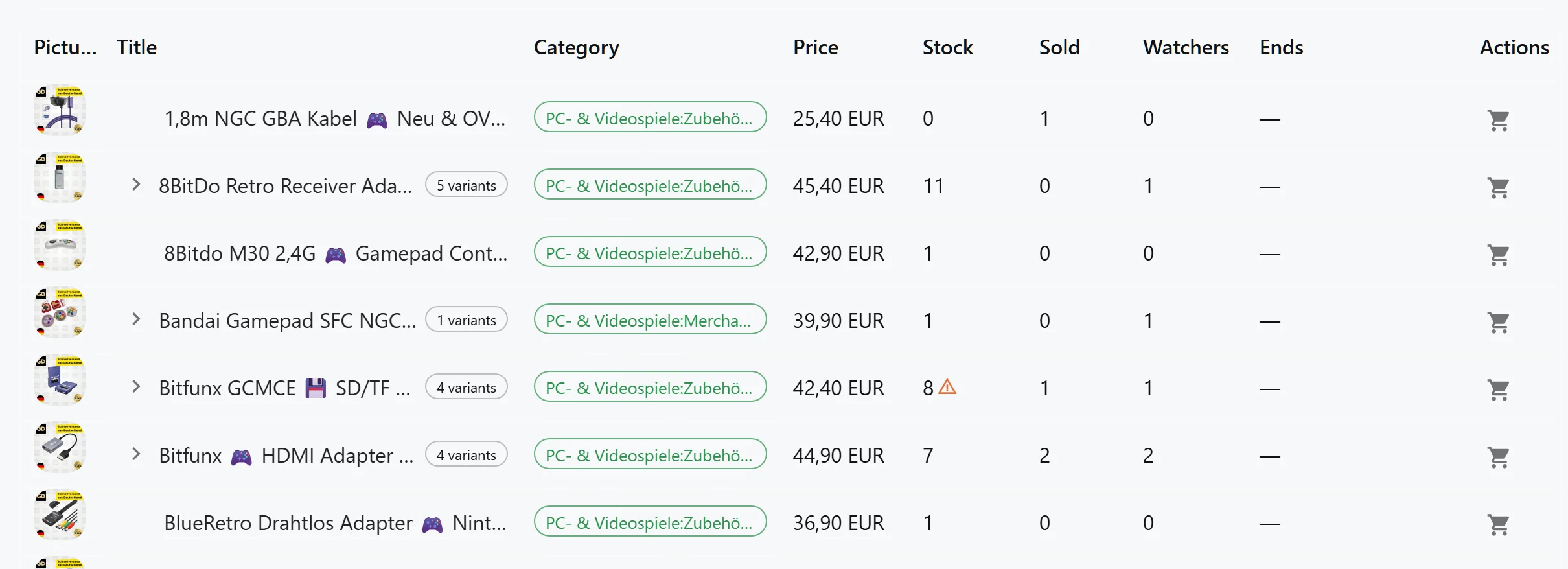
The listing table with what each listing costs to run beside what it sells for. The rows that lose money do not need a report to be spotted — they sort to the top of the eye.
Questions, answered
Why does a fee column sometimes show nothing?
Because the source is not connected or the window has no data yet, and the panel says which. A flat line of zeros would be a graph with two possible meanings and no way to tell them apart.
How often are the figures refreshed?
You refresh the listing view whenever you want, so it shows the marketplace as it is now. Ad rates refresh daily, because campaigns change without asking you.
Can I delete or end a listing from here?
No. The writes this system performs are a listing draft and a price revision. Ending, deleting or relisting stays in the marketplace, where the consequences are visible as you take them.
Does it work for variation listings?
Yes for reading: variations keep their own identity, price and quantity. For writing a price, a variation listing priced differently across its variations is refused rather than reduced to one number.
Go deeper
- Fees and margin protection — The fee terms themselves — where each one comes from and how it is attributed.
- Orders — The other half of the picture: what happened after the listing worked.
- The eBay integration — Exactly what is read from the marketplace, and the two things that can be written.
Back to operations
Find the listings subsidising the rest.
The first breakdown runs over your last thirty days of fees, per listing, as soon as the account is connected.
Get Started