Home / Your eBay account, minus the tab-switching. / eBay integration
eBay integration
Your account, connected the careful way.
You create your own developer app, authorise once, and 40thieves reads your shop through the official API. What it can ever write fits in one sentence.
Some tools want the keys and a prayer. This one has a fixed scope you can read in a minute: a short list of what it reads, exactly two things it can write, and a sandbox to try it all first. Here is the whole list — so you can decide for yourself whether it is narrow enough for your account.
How the account is connected.
- 01. Your keys — You register a developer app with eBay and paste the keys. They are yours, they stay in your account, and you can revoke them there any time.
- 02. One authorisation — A single sign-in links your seller account to the app. It all happens on one address — one door, no detours.
- 03. Try it in the sandbox — A sandbox mode lets you prove the connection with test data before your real account gets involved.
- 04. Read from your account — The system reads in your seller mode and home country — that is what decides your fees and which offers count as your competition.
What it reads.
- Active listings — Title, price, quantity, category, variations and policies — refreshed when you ask, so the view is today, not last week.
- Traffic figures — Impressions, views, clicks and orders from the last thirty days. Enough to tell a listing nobody sees from one nobody buys.
- Orders — We keep recent orders fresh and the older ones for up to 730 days, and variations keep their own lines.
- Fees and campaigns — Final value fee, fixed fee and ad rates. We refresh them daily, so a campaign you changed yesterday does not become a wrong cost today.
- Account facts — Seller mode, fee schedule, home marketplace. These decide how we calculate your price advice.
What it can write — two things.
A listing draft, and a price. Nothing else.
The draft comes with title, description and policies filled in, and it stops there. There is no publish button in this system — a listing goes live only when you publish it on eBay.
When you apply a price, it is written to one listing, once. Variations priced differently are refused rather than guessed at. For thirty minutes afterwards, the price you set wins over the marketplace's own lagging answer.
No stock writes, no order changes, no messages, no deletions. If you were expecting a tool that runs your account for you, this is where it deliberately stops.
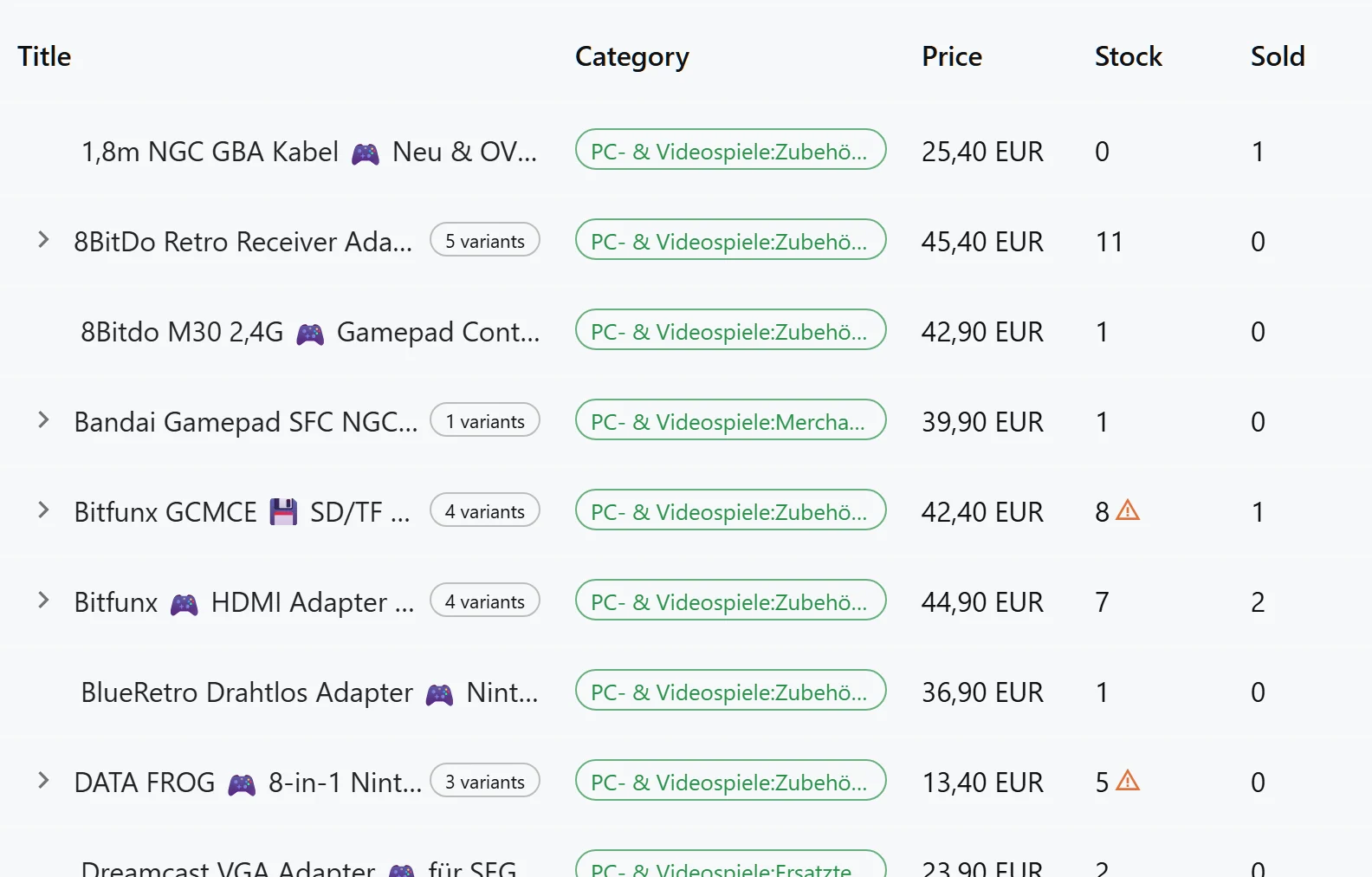
The screen the connection fills.
The same table, on the same data: listings, stock and units sold. What you see behind this page is the real product.
Questions, answered
Do I need a developer account for this?
Yes — you register your own app with eBay and use its keys. That is a good thing: the connection belongs to your account, you can revoke it any time, and the keys are never shared.
Can it publish a listing for me?
No. It creates a draft with everything filled in and stops. Publishing is your step, after you have read what was written.
What happens if my token expires?
It renews itself and saves the new one, so a restart does not break the connection. If renewal fails, the connection reports as broken instead of showing empty data.
Does it work with a private seller account?
Yes. The system reads your seller mode from the account and the fee model follows it, so the price advice matches how you actually sell.
Go deeper
- Marketplaces — Why the marketplace layer is ready for a second channel without disturbing the first.
- Listings, fees and costs — What each listing earns and what it costs to keep running.
- Orders — A full order history that never needs a full refresh.
Back to marketplaces
Connect in the sandbox first.
Prove the connection with test data, then point it at your real account. Nothing is written before you ask.
Get Started