Home / Operations
Operations
The part of selling that happens after the listing goes live.
Orders come in, costs arrive from three places, and stock quietly stops being accurate. One view keeps it: what sold, what it cost, what the fees took and which preset fits the parcel.
Operations is where a small shop loses its grip — and it never loses it dramatically. It loses it in the gap between what the supplier charged, what the marketplace deducted and what the buyer paid: three numbers that live in three places and are never quite added up. Close that gap, and most of running a shop becomes a matter of looking at the right table.
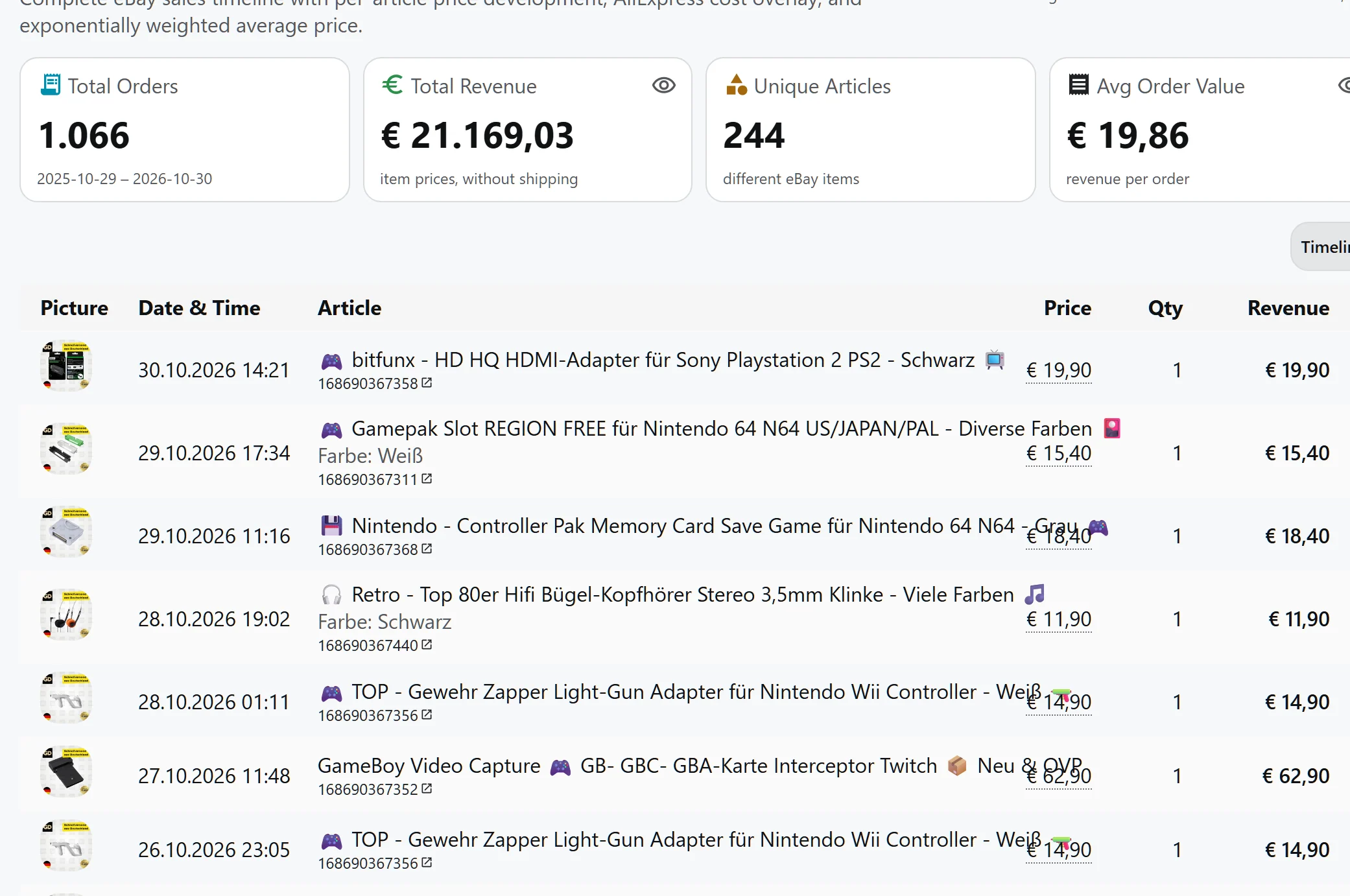
Orders, with the money already attached.
Every imported order, its revenue and the article behind it, in one timeline. The totals at the top are what the period actually earned — the number a month is judged on, before any report is written.
One view, four things kept in it.
- Orders, complete and current — We keep recent orders fresh and the older ones for up to 730 days, and import problems get their own line — refunds, blocked items, totals that do not match.
- The margin, per sale — We measure each sold item against what you actually paid for it in the matching purchase, not against a list price. That is the only version of margin that survives a coupon and a shipping surprise.
- Fees, attached per listing — Final value fee, fixed fee, your share of the shop subscription and ad spend, with VAT the way you set it. We refresh ad rates daily, so yesterday's campaign does not become today's cost.
- Shipping presets, checked against the parcel — We compare each preset with the real package — fit, weight, girth for DHL, length rules for Hermes. A preset that no longer fits is flagged before a label is bought.
What "inventory" means here, precisely.
Inventory is a read of your listings, and it stays read-only. The value of the stock on hand, the sold-out items, the ones that never sold, the price buckets, the categories that carry the most, the listings ending soon — all of it reflects what eBay currently shows.
That is deliberate. Writing quantity back to a marketplace is a state change with real consequences — a wrong number oversells, and overselling on eBay is a defect against your account. Until that path is built with the care it needs, this system reports stock accurately and does not pretend to control it.
From live view to something you can hand over.
- 01. Watch — The dashboard carries the running numbers: orders, revenue, what needs attention today.
- 02. Explain — Price development shows sales against purchases at the price actually paid, with a weighted average over time.
- 03. Report — Seven reports run to PDF — price recommendations, sales statistics, orders, active listings, unsold prospects — over periods from thirty days to a year.
- 04. Decide — Unsold stock and unsold prospects are ranked by what is tying up the most capital, so the first clearance decision is the one with the largest amount in it.
Questions, answered
Can 40thieves mark an order as shipped or buy a label?
No. Orders are imported and analysed. Shipping labels, carrier booking and tracking updates stay in your carrier accounts — this system tells you which preset fits the parcel, it does not buy the label.
Does it change stock levels on eBay?
No. Inventory is a read-only view of your listings. Nothing writes a quantity back to the marketplace.
How far back do orders go?
Up to 730 days, which is what eBay offers. Recent orders refresh frequently; we keep the older ones rather than re-reading them, so a full history never costs a full refresh.
How is the margin on a sale calculated?
Against the purchase that supplied the item, at the amount actually paid — list price minus coupons and coins, plus shipping and import duty. Several purchases of the same article resolve to the one that fits.
Go deeper
- Orders in detail — The rolling sync window, variation-safe lines and how import problems are reported.
- Listings, fees and costs — Your listings, the fee model per item and the traffic figures eBay reports.
- Analytics and reporting — Sales, prices, stock and the seven PDF reports.
See what a sale actually left behind.
Connect eBay and import one batch of orders. The margin per item appears against what you really paid.
Get Started