Home / A price you can defend, calculated from the cost you actually paid. / Price recommendations
Price recommendations
One formula, with every term shown.
Purchase cost, fixed costs, the marketplace fee and your target margin. The result is a floor, a target and a ceiling — a range you decide inside, not a single number you have to obey.
A price recommendation is only useful if you can argue with it. That means the calculation cannot be a score produced by something opaque: every term has to be a value you set or a fee you can check, and the result has to arrive as a range rather than a verdict. Here is the whole calculation, in plain words.
The calculation, term by term.
The selling price is built by adding what the item costs you and the fixed costs, then growing that by the fees you will pay and the profit you want to keep. Cost first, fees and margin on top — never the other way around.
The fees are eBay's, by category — seven percent for devices, twelve for accessories, five for reduced condition — plus the payment fee, and a small fixed fee below ten euros. The margin is your setting: the share of the selling price you want left after everything else is taken.
That margin is the one term that changes the result most — which is exactly why it is a setting you control, not a hidden constant.
Three bounds instead of one number.
- Floor — The price at which your margin is exactly met. Below it, a sale costs you money rather than earning it.
- Target — The middle of the range, where the charm ending sits — .40 or .90, because those endings read as considered rather than desperate.
- Ceiling — The upper bound of what the market will plausibly pay, taken from the comparable offers rather than the cheapest one.
- Undercut endings — Where the goal is to sit below one specific competitor, the ending shifts to .30 or .80 so the undercut is visible in the price itself.
- The spread is yours — How wide the range is, is a setting. A narrow range reads as a decision; a wide one leaves room for your judgement.
Which listing to fix first.
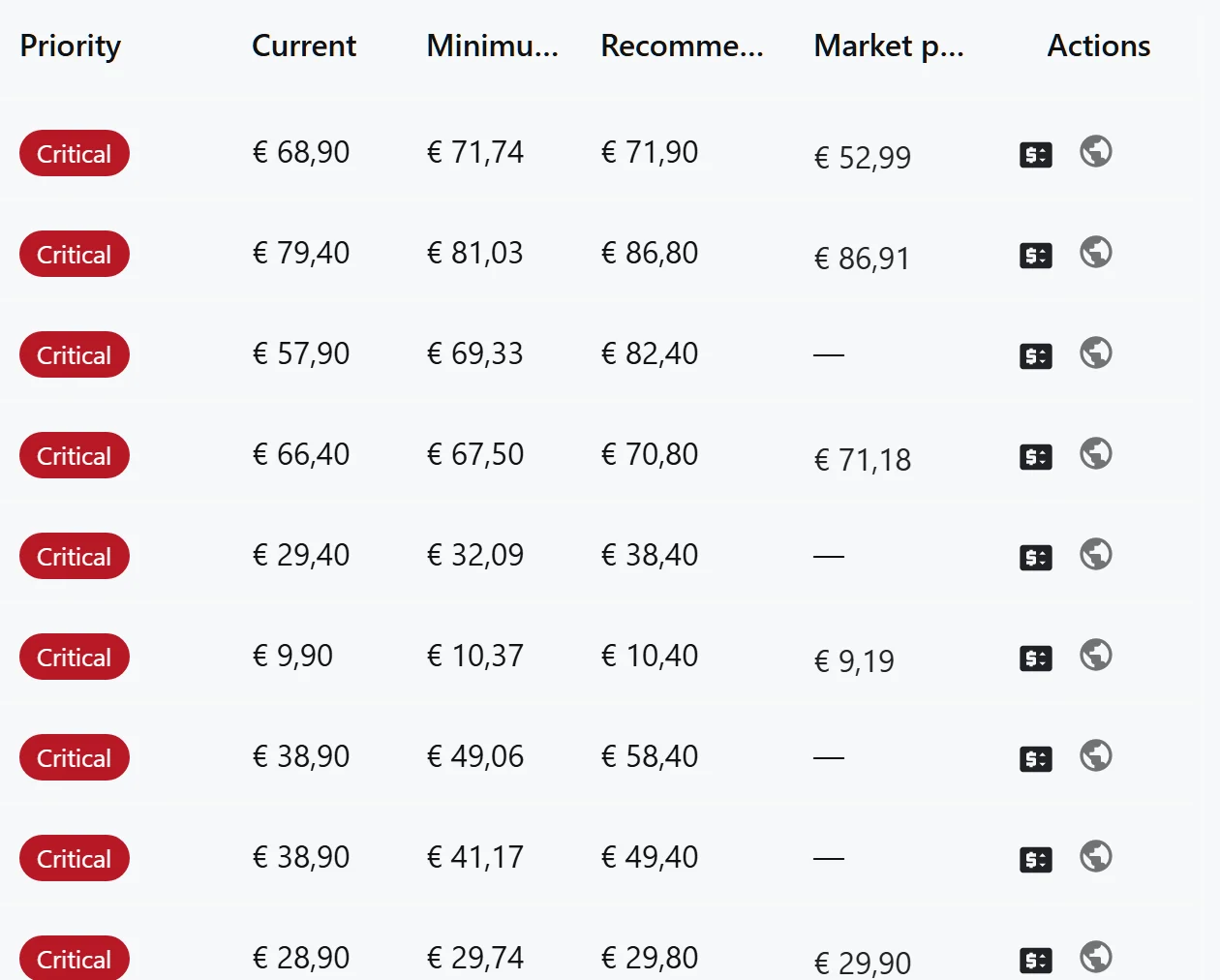
- 01. CRITICAL — The cost behind a listing moved by twenty percent or more — usually a supplier price rise against a price you set weeks ago.
- 02. HIGH and COMPETITOR — A ten percent cost move, or a confirmed market offer that has moved under your price.
- 03. MEDIUM — A five percent cost move. Worth doing today — not worth stopping the day for anything else.
- 04. OK and LOW — The listing is priced where it should be. The list tells you so, which is the part most price views leave out.
One row, one decision.
The recommended price is a column, not a suggestion buried in a panel, and it sits beside the floor that makes it safe to accept. The market price is there to argue with the number, not to replace it.
Questions, answered
Is the recommendation a price, or a range?
A range: floor, target and ceiling. The target carries the charm ending, the floor protects the margin you asked for, and the ceiling comes from the comparable market offers.
What happens when I apply a price?
The system writes it to that one listing, and the change shows in the price history. For the next thirty minutes the price you set wins over the marketplace's own lagging answer.
Why is my listing refused a revision?
Because it has several variations at different prices. Choosing one for you would be a guess with your money — so the system tells you to change it on the marketplace instead.
Can I change how the recommendation is calculated?
Yes — the target margin, the spread, the VAT rate, whether you sell privately or professionally, and your share of ad spend are all settings. The calculation reads them rather than assuming them.
Go deeper
- Price intelligence — The overview: what the advice is for and how it feeds from the market.
- Fees and margin protection — Every fee term in the formula, attributed per listing.
- Market intelligence — Where the ceiling comes from — comparable offers, second-cheapest.
Back to pricing-intelligence
Run the calculation against your own catalogue.
The first recommendations are built from your real costs and your real fee schedule, not from a demo.
Get Started