Home / Know what the market is doing before you move a price. / Competitor screening
Competitor screening
Understand why a competitor is cheaper than you are.
Point it at a seller's username and get their price spread, their categories, how often they ship free, how their listings read. Official channel, capped — it never invents sales figures.
A competitor who is cheaper than you are is usually cheaper for one of three reasons: they buy better, they accept less margin, or they are selling something slightly different. A screening run answers which one it is — by reading their prices and their listing structure rather than by guessing at their results.
What a run returns.
- Price structure — How their prices are distributed — where the bulk sits, how wide the spread is, and whether their headline price depends on expensive shipping being added at the end.
- Category spread — Which categories they actually operate in, and how concentrated they are. A competitor in three categories behaves differently from one spread across thirty.
- Shipping behaviour — How often they offer free shipping, which service they name, and their stated handling time — the terms buyers compare against yours.
- Listing quality — An analysis of how their listings are written and structured, so a weak point in the copy or the image set becomes visible rather than assumed.
The caps, and what is deliberately absent.
- One shop, a hundred items — A run reads up to a hundred items from a single shop, across up to ten pages per category. Enough to read a strategy; not an archive.
- No sales figures — The marketplace does not publish units sold or revenue, and no estimate is produced for them. Any tool claiming that number is modelling, not reporting.
- The official channel only — Everything goes through the marketplace's own official channel. No scraping, no logged-in sessions, no request pattern that could be attributed to your seller account.
- Prices, not people — The screen reads public listing data. It does not collect or profile the individuals behind an account.
From a run to a price decision.
- 01. Run — Enter a username and a category. The run is bounded and progress is shown, so a large shop does not appear to hang.
- 02. Read — Compare their spread and structure against your own listings on the same screen.
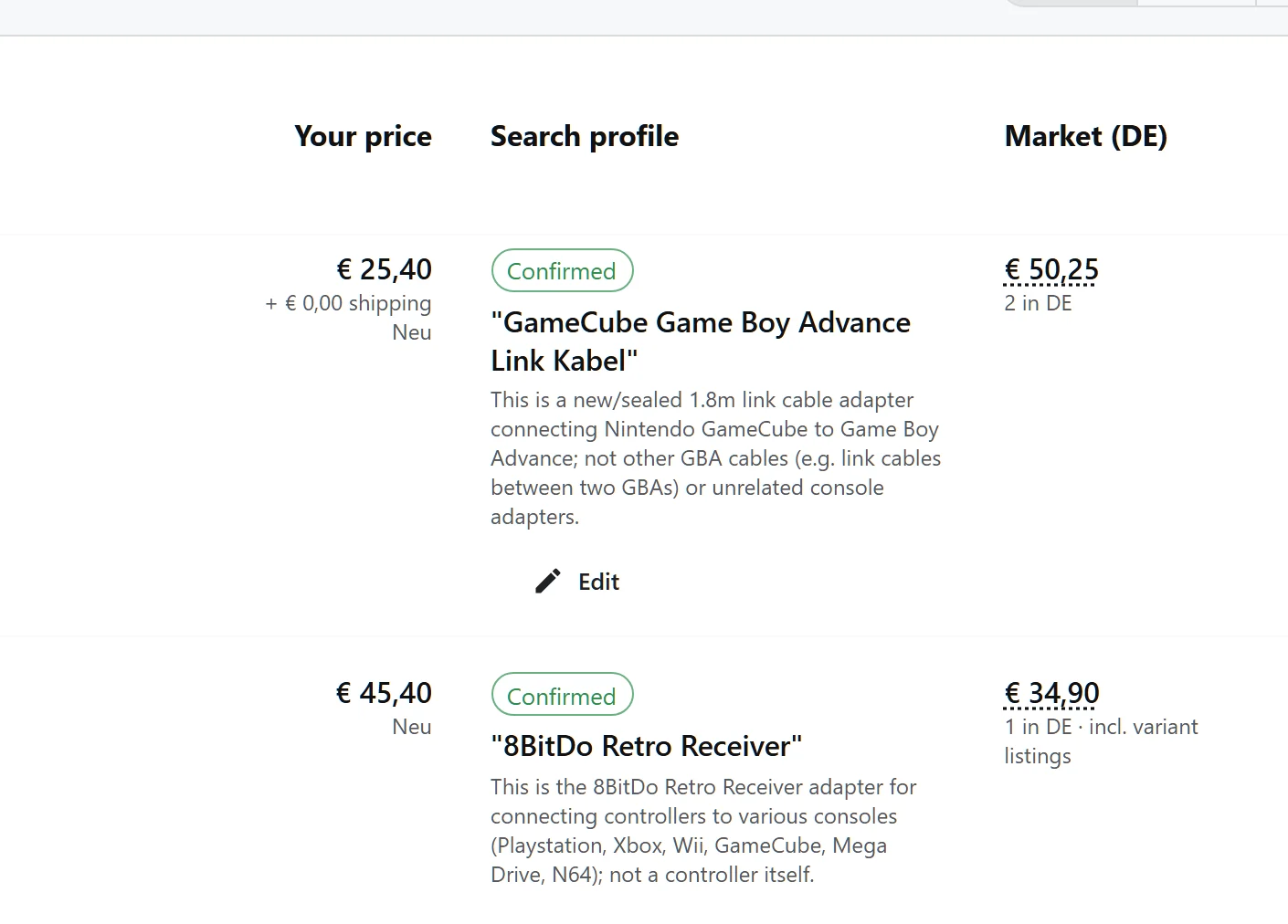
- 03. Reference — Where an offer is genuinely comparable, confirm it as a market reference. Confirmed offers are what the pricing view uses.
- 04. Decide — Move your price, or decide their position is not one you want to compete on. Both are valid outcomes of the same screen.
A reference you can defend.
The price that matters is the second-cheapest comparable offer with shipping included, and it is shown with the search profile it came from. A single outlier cannot set the benchmark on its own.
Questions, answered
Is it scraping a competitor's website?
No. It uses the marketplace's own official interface — the sanctioned route to public listing data. Nothing logs into an account to read another account, and no unofficial request pattern is used.
Why can't I see how many units a competitor sold?
Because the marketplace does not publish units sold or revenue. Rather than model a number and present it as fact, the tool reports what it can verify: prices, structure, terms and listing quality.
How long does a screening run take?
A run is bounded at a hundred items and ten pages per category, with progress reported. Larger shops give you a representative sample rather than an unbounded crawl.
Can I screen more than one competitor?
Yes, one at a time. Each run is independent, and its results are held against your own listings so two competitors can be compared the same way.
Go deeper
- Market intelligence — The wider picture: market references and how they are chosen.
- Price recommendations — What happens to a confirmed reference when a price is calculated.
- Analytics and reporting — Your own numbers, in the same shape as theirs.
Back to market-intelligence
Run one shop through the screen.
A username and a category. The official channel, bounded run, and no number it cannot verify.
Get Started