Home / Trust & security
Trust & security
Your shop stays yours. Full stop.
You keep the keys. Your account sits behind its own walls, every request is checked, and your orders never touch another shop. That is not a promise on a page — it is how the thing is built.
A tool that holds your marketplace keys and your order history has one job before it has any features: being worth that trust. So here is what we decided, in plain words — where your keys live, what happens to a request that should never have arrived, and what the system refuses to do even when it is set up wrong.
When something does not go as expected.
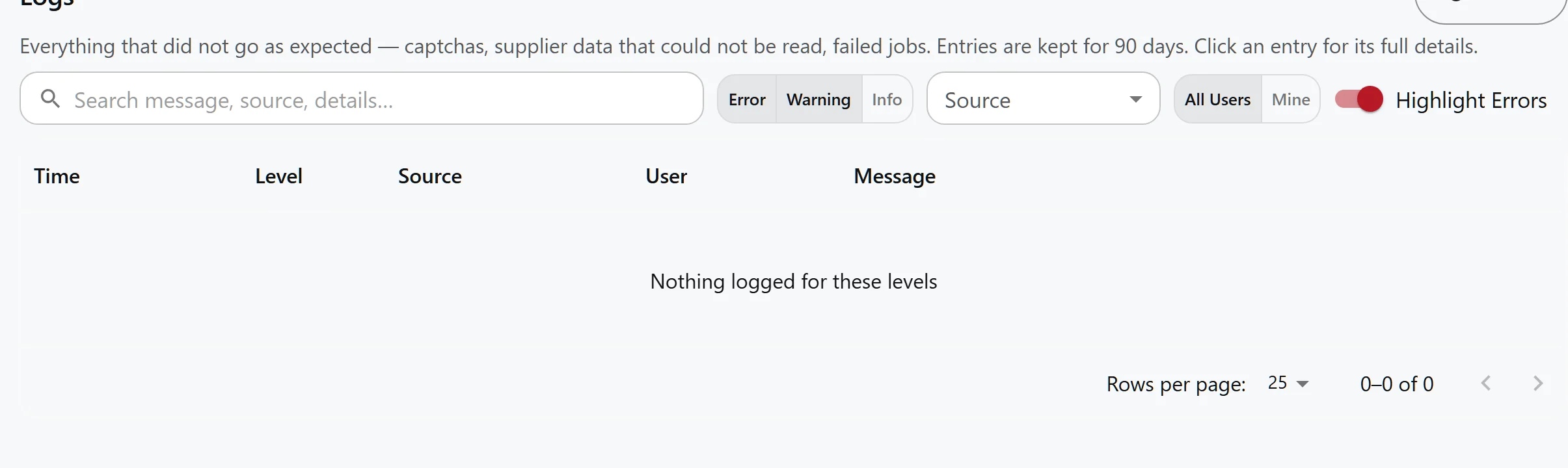
The log is the honest half of nothing being silent: captchas, unreadable supplier data and failed jobs, each with a time, a source and a message. Kept for ninety days.
Where your walls stand.
- In the database, not the interface — Every record belongs to an account, and the database itself keeps them apart — not just the screen you see. A regression test guards exactly this, because one early version once let an account see another's data.
- On every request, not at login — Proving who you are is one check; deciding whether you should be here is another — and the second runs on every request, not once at the door. An account without access is refused before it reaches any data.
- Integrations, with nothing extra — Your marketplace and supplier keys are stored securely and used with only the permissions they need. The integrations see nothing else, and the keys never sit on a disk the system owns.
How it all runs.
- One address, one gate — The app and its backend live on one address, behind one gate. The system itself answers only to the machine it runs on — the internet cannot reach it directly.
- Keys never on the machine — When the system starts, it fetches your keys from a locked vault. Keys renewed while it runs go back there, so a restart never loses them.
- Refuses to run open — A build started with authentication disabled refuses to come up in production. A system that fails to start is noticed; one that serves everyone is not.
- No endless knocking — Every route has its limits. Nothing can knock so hard that the load lands on the marketplaces in your name.
Because something will go wrong one day.
Marketplaces slow down, time out and change how they work without notice. We do not assume that will not happen — we build for the day it does. A bad hour there should cost you a delay, not a corrupted state.
Retrying is safe: a request sent twice does not list an item twice, charge a buyer twice or double a shipment. Work that cannot finish is reported instead of remembered as done, and it is safe to run again.
Backups are checked, not just taken. An archive that is suspiciously small is discarded rather than stored, and a silent alarm means a backup that stops running is noticed before the day it is needed. A restore has a trial run that changes nothing — practised, not assumed.
We keep logs for ninety days. Every account sees its own entries; administrators see the rest.
Questions, answered
Where are my eBay keys stored?
In a managed vault — the system fetches them when it starts, instead of ever writing them to the machine it runs on. Tokens renewed while it runs are written back there, so a restart does not lose them.
Can another account of this service see my products or orders?
No. Every account's data is separated in the database itself, not just on the screen you see — and a regression test exists specifically to fail if that ever changes.
What happens if eBay is down while a sync is running?
The job reports the failure loudly. The sync re-reads a rolling window of the marketplace's own history, so the next run reads what the missed one did not — an outage delays the sync, it does not duplicate or corrupt it.
Is my data used to train anything?
No. We use product and order data to produce your results. Text generation goes to a model provider for the listing you asked to draft, under a budget you set and can see.
Go deeper
- Data protection in detail — Isolation, keys, logging, backups and what happens to your data.
- Operations — The daily work this system does with the data it holds.
- Marketplaces — What the eBay connection reads and what it can write.
Read the architecture before you hand over the keys.
The deployment, the isolation and the backup regime are described in full — including what is not finished yet.
Get Started