Home / Product preparation
Product preparation
From a supplier page to a listing you would publish.
40thieves cleans and composes your images to one style, checks the data against a real catalogue, and writes a draft for your marketplace. Ready for your review, not your retyping.
An imported product arrives as somebody else's page: supplier photography, attributes in the wrong language, a description written for a different buyer. Turning that into a listing is three jobs, each with a version that takes five minutes and one that takes an afternoon. 40thieves does the five-minute version and leaves you the judgement calls — because those are the part a system should not decide about your shop.
What gets checked before a draft exists.
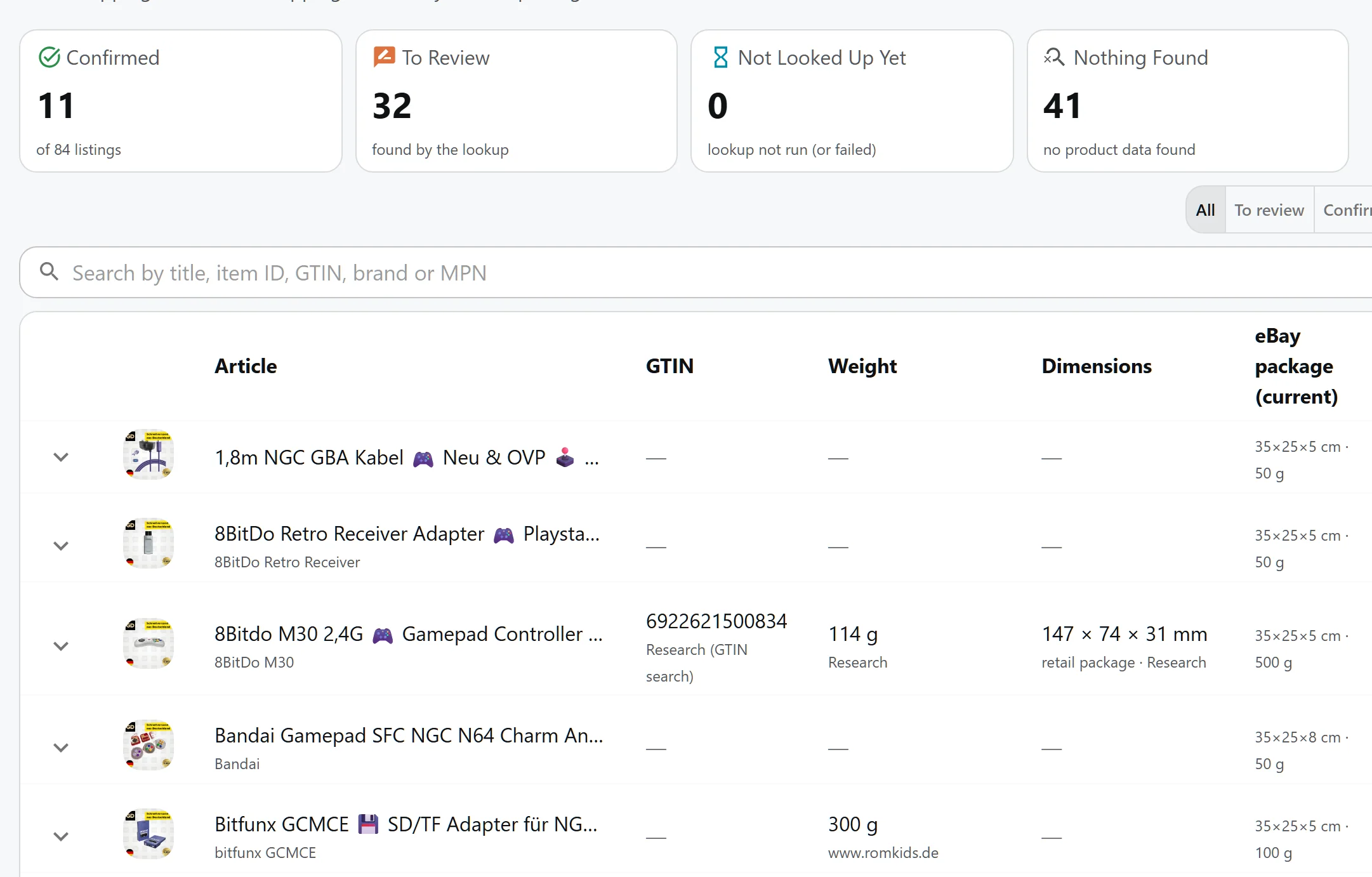
Product data per listing: GTIN, weight and dimensions, each with its source and a status. Where the marketplace package differs, both are shown, so a shipping preset is chosen from facts.
Three jobs, prepared in one pass.
- Images, cleaned and composed — The background comes off behind a guard that refuses when it would damage the product, and the result is composed onto a template you define once. Every listing afterwards looks like one shop.
- Data, checked against reality — We verify an article number before we accept it. Weight and dimensions are checked for plausibility, and retail packaging gets its own rule — so a shipping cost downstream is never built on a guess.
- A draft, written for the marketplace — Title, description and business policies are filled in for the marketplace you sell on. It lands in your eBay account as a draft — you read it, you change it, you publish it.
The guards, in numbers.
- Image size limits — We process images up to 1500 pixels on the long side; larger ones are resized rather than refused.
- A guard that protects the product — Removal does not run when it would take more than half of the product pixels, or leave under three percent of the image. A bad cutout is never published quietly.
- Your template, defined once — A composition template holds up to twelve layers on a canvas between 64 and 4096 pixels, anchored to nine positions — image, watermark and badge types.
- One run, up to a hundred items — Up to a hundred items in one run, weight capped at 50 kg and dimensions at 3000 mm. Anything beyond that is freight, not parcel.
Why the draft is where it stops.
A listing is a promise to a buyer. The system writes a good one quickly — which beats an evening spent on titles. What it should not decide is whether the promise is right: the category, the shipping policy, the return wording and the price are choices with consequences, and they belong to the person whose account is on the line.
So the pipeline ends at a draft and hands it over. That boundary is deliberate, and it is the same one the price advice keeps: the system proposes, you approve.
Questions, answered
Can I define more than one image style?
Yes. A template is a saved composition — canvas, layers, watermark, badge lines — and you can keep several and pick one per run. The template is what makes a hundred listings look like one shop.
What if the background removal damages the product image?
It does not run. The pipeline measures how much of the product would disappear and refuses above fifty percent, or when the remaining opaque area is under three percent. The original is kept and you see that the step was skipped.
Does it write the listing to eBay for me?
It creates a draft with the title, description and policies filled in. Publishing stays on eBay, so nothing goes live until you have read it.
Are the generated images stored?
Yes — processed images are stored and served through links that carry the file's own fingerprint, so a changed file always reaches the buyer fresh. Where they are hosted is an operational detail you never have to think about.
Go deeper
- The image pipeline in detail — Deduplication, classification, the removal guard, templating and how the images reach your listings.
- AI listing drafts — How the draft is written, and what stays with you.
- Product data enrichment — GTIN validation, weight and dimension plausibility, and the retail padding rule.
Take one product through the whole pass.
Import it, watch the images come back composed, read the draft. That is the working loop, end to end.
Get Started